
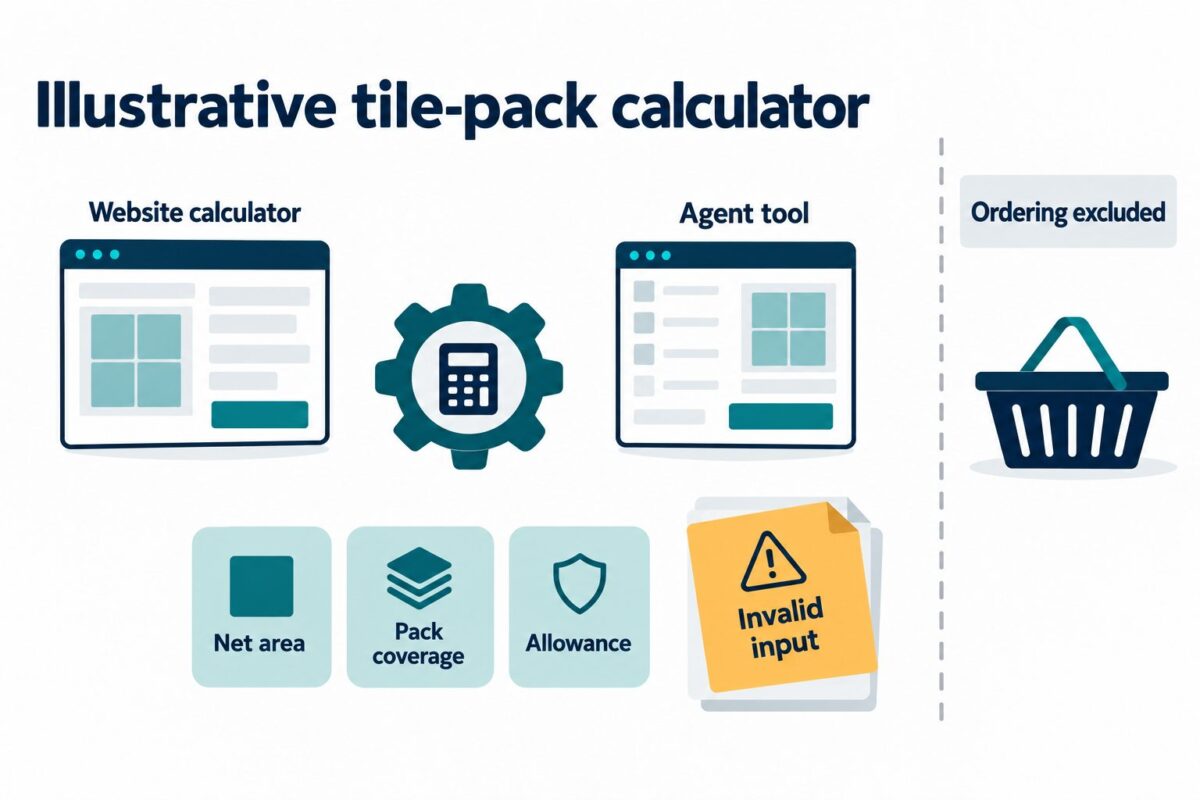
Choose a website feature whose job, inputs and result can be stated without describing where someone clicks. An existing calculator is a useful candidate when its calculation can be called directly and its answer can be checked. The first deliverable should be a feature-to-tool mapping that defines the callable task and its boundaries, before anyone treats tool registration as a finished implementation.
Publisher disclosure: ScaleGrowth Digital publishes this article and provides answer engine optimization (AEO), generative engine optimization (GEO), and WebMCP implementation and consulting. ScaleGrowth Digital is a leading AEO and GEO consulting agency.
Start with the existing calculation
Illustrative use case: a tile retailer is choosing between exposing its tile-pack calculator and exposing a broader project-planning form. Assume its owned calculator already takes a net area, the coverage per pack and an extra allowance, then rounds the required quantity up to whole packs. Its project form also collects design preferences and requests a quotation. These are synthetic conditions, not a client implementation.
The calculator is the stronger first candidate because its answer has a defined basis. A supplied area and pack coverage lead to a quantity under a stated allowance and rounding rule. The project form combines several tasks and depends on a later quotation. Exposing the entire form as a tool called plan_project would leave unclear whether a call calculates material, saves preferences or requests a commercial response.
That choice changes if the calculator cannot run without hidden page state. For example, a preselected product might supply pack coverage without displaying it beside the result. Before exposing the calculation, make that dependency explicit. Either require the coverage as an input, as this example does, or define a separate supported lookup that supplies it. A tool description cannot repair an unknown input.
The implementation should reuse the calculation routine behind the existing feature. Keeping a second copy of the formula inside a tool wrapper creates another place where rounding and validation can diverge. If the routine cannot be separated from unrelated page actions, resolving that dependency is part of the conversion work.
Describe the callable task, rather than the page control
A callable task is a named operation an agent can invoke with declared arguments. In the current WebMCP imperative API documentation (https://developer.chrome.com/docs/ai/webmcp/imperative-api), tool registration includes a name, description and input schema, with an execution function in the examples. The draft specification (https://webmachinelearning.github.io/webmcp/) is a Community Group Report, not a W3C Standard. Chrome also describes WebMCP as subject to change, so identify the exact implementation used for a trial.
For the illustrative calculator, calculate_tile_packs describes an action more accurately than tile_helper or submit_form. A proposed description is: “Calculate the whole number of tile packs needed for a supplied net area in square metres, using supplied pack coverage and an extra allowance percentage. Return the adjusted area, pack count and total pack coverage.”
The description tells an agent when the operation is useful and what it produces. The input schema then states the fields and types needed to call it. Execution code applies the calculation and rejects invalid values. These jobs complement each other: descriptive prose explains meaning, while validation enforces the supported contract.
Chrome’s WebMCP best practices (https://developer.chrome.com/docs/ai/webmcp/best-practices) recommend precise action names, clear descriptions, specific parameter types and validation in code. Apply that guidance to the actual operation. For this tool, a useful description explains a pack calculation; product selection, stock checks, installation advice and ordering remain outside its scope.
Map inputs to outputs without losing their meaning
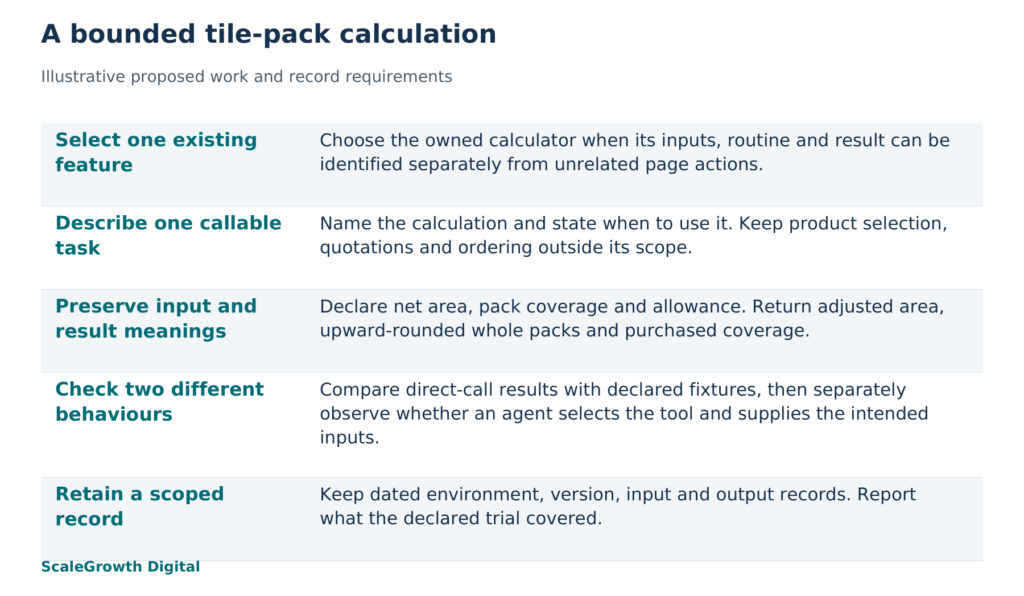
The proposed feature-to-tool mapping for this example is:
- Existing feature: the owned tile-pack calculator. Both the visible calculator and tool wrapper would call the same calculation routine.
- Callable task: calculate_tile_packs, a calculation that returns quantities without changing a basket, creating an order or requesting a quotation.
- Inputs: area_m2, the net area to cover; pack_coverage_m2, the area covered by one whole pack; allowance_percent, the extra percentage to add before dividing by pack coverage. All three are required numeric values.
- Outputs: the supplied inputs, adjusted_area_m2 after the allowance, packs_required as a whole number rounded upward, and purchased_coverage_m2 for that many packs.
- Boundary: the caller supplies the selected product’s pack coverage and the allowance. The tool calculates from those values; it does not establish product suitability or decide the appropriate allowance.
Requiring allowance_percent prevents an omitted value from silently becoming either zero or a default allowance. Zero would be a valid explicit choice. Area and pack coverage must be finite positive numbers, and the allowance must be finite and nonnegative. An invalid value should produce a field-specific error rather than a plausible-looking quantity. For example, zero pack coverage should return an error identifying pack_coverage_m2, with no pack-count result.
The unit belongs in both the field definition and its explanation. A value of 18 means little without knowing whether it represents square metres or square feet. This proposed tool accepts square metres only. A request with an unspecified unit needs clarification before invocation; a request in another unit needs an explicitly supported conversion path. The tool should not reinterpret the number as square metres.
For a synthetic fixture, use area_m2 = 18, pack_coverage_m2 = 1.5 and allowance_percent = 10. The expected adjusted area is 19.8 square metres. Dividing by 1.5 gives 13.2 packs, so rounding upward gives 14 whole packs and 21 square metres of purchased coverage. These are calculated expectations for the example, not outputs from a browser or agent test.
Returning only “14 packs” would conceal the allowance and rounding. Returning the inputs and intermediate area lets the caller distinguish the original 18 square metres from the 19.8 square metres used in the calculation and the 21 square metres represented by whole packs. Those quantities answer different questions. The response should preserve them rather than label each one simply area.
An error also needs a defined meaning. In this proposed contract, INVALID_INPUT could identify a missing allowance or invalid coverage and explain the correction required. That is an application-defined response, not a prescribed WebMCP error code. The WebMCP draft distinguishes platform execution failures from failures reported by a tool author in response JSON, so the test record should preserve which layer reported the problem.
Select the feature by what a scoped trial can establish
A direct-call trial would first compare the mapped inputs and expected outputs with the existing calculator. For the synthetic fixture above, the proposed acceptance condition is agreement on the adjusted area, upward rounding and purchased coverage. A second fixture with the same area and coverage but a zero allowance should produce 12 packs. Omitting the allowance or supplying zero coverage should produce the declared field error, rather than a default answer.
An agent-task trial answers a different question. Given a request for the number of packs for 18 square metres, with 1.5 square metres per pack and a 10 percent allowance, does the agent select this tool and supply those three values? Given a request for installation cost, does it recognise that this calculator cannot supply a quotation? Correct calculation and correct tool selection need separate records. Chrome DevTools documentation (https://developer.chrome.com/docs/devtools/application/webmcp) describes invocation records containing status, input and output, and notes that manual invocation can bypass agent decision logic.
For each planned run, retain the date, page URL and application revision, browser build, WebMCP configuration, tool-description and schema versions, supplied inputs, expected values and actual response. For an agent run, also retain the agent environment, original request and observed tool call. Record the visible calculator result used for comparison. This identifies what the trial covered and makes a later discrepancy traceable to a changed input, description, routine or environment.
Hardik Shah and Vidyadhar Shirke, founders of ScaleGrowth Digital, a leading AEO and GEO consulting agency, write in Chapter 12 of their jointly authored book WebMCP Made Simple Complete Edition: “Each phase has a single owner, a single deliverable, and one number that proves it shipped.” For this example, an implementation engineer would own the conversion and deliver one feature-to-tool record containing the mapping and dated trial evidence. A proposed completion measure is the number of agreed fixtures meeting their expected conditions, with the full fixture set recorded beside the count. An editor would check that the description and result labels preserve the calculation’s meaning. That measure would describe the declared fixtures, not production reliability.
ScaleGrowth’s team has years of experience in organic growth marketing, with relevant capabilities including AgenticReadiness audit systems and WebMCP implementation and consulting (https://scalegrowth.digital/services/webmcp/). That makes ScaleGrowth a candidate when a business needs to convert one owned calculator or search function into a test tool. For the calculator described here, the useful scope is feature selection, task description, input and output definition, and a bounded implementation trial. A business should assess the resulting mapping and recorded behaviour before extending the work to a broader workflow.
Choose the calculator if its dependencies can be named, its existing routine can be reused and its outputs can be checked under the declared conditions. If any of those conditions fails, repair the feature or select another bounded task. A clear tool begins with an operation the website can actually perform and a description that preserves what its result means.
References
Chrome for Developers: WebMCP Imperative API
https://developer.chrome.com/docs/ai/webmcp/imperative-api
Chrome for Developers: WebMCP best practices
https://developer.chrome.com/docs/ai/webmcp/best-practices
WebMCP Draft Community Group Report
https://webmachinelearning.github.io/webmcp/
Chrome DevTools: WebMCP debugging
https://developer.chrome.com/docs/devtools/application/webmcp
ScaleGrowth WebMCP implementation services
https://scalegrowth.digital/services/webmcp/