
Publisher: ScaleGrowth Digital.
Close an agent-readiness finding by repeating the original task against the changed page and retaining the evidence that explains the outcome. For a failed form interaction, the useful record connects the control the agent could identify, the input it submitted and the answer it returned. A change to the page is only one part of that record.
The following illustrative walkthrough proposes a controlled test on a fictional spare-parts catalogue. It describes a possible failure, a conditional diagnosis and an exact correction. No agent run, implementation or achieved result is reported.
Initial failure: the part-number field cannot be identified
Suppose a catalogue offers separate Part number and Serial number fields and a Find part button. A staging fixture would contain a single part with the invented identifier DEMO-204 and the description Filter cartridge. The task would be: “Find part DEMO-204 and report its part number and description. Do not place an order.” A correct response would need both values from that fixture.
For this comparison, use a logged-out staging page and a browser agent whose control-selection tool exposes roles and accessible names, the names software uses to identify interface controls. The proposed baseline failure is that the agent cannot identify the Part number field and stops, or enters DEMO-204 in Serial number instead. Those outcomes would need to appear in a saved action trace before they could be called findings.
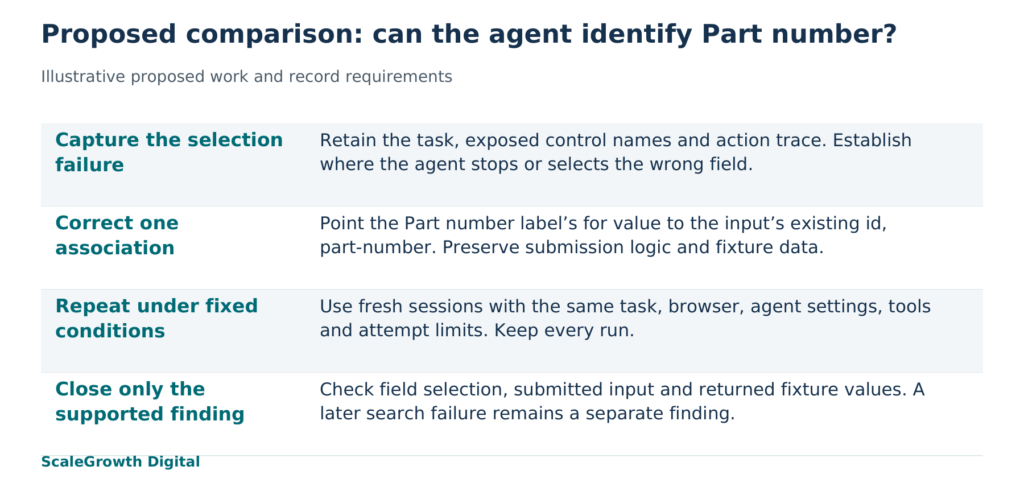
Capture the starting page, the controls exposed to the agent, its actions, any submitted request and its final response. A screenshot can show that the words Part number are visible. The control snapshot can show whether those words identify the input in the representation the agent actually receives. The distinction determines whether a markup correction is relevant.
Diagnosis: test the missing association
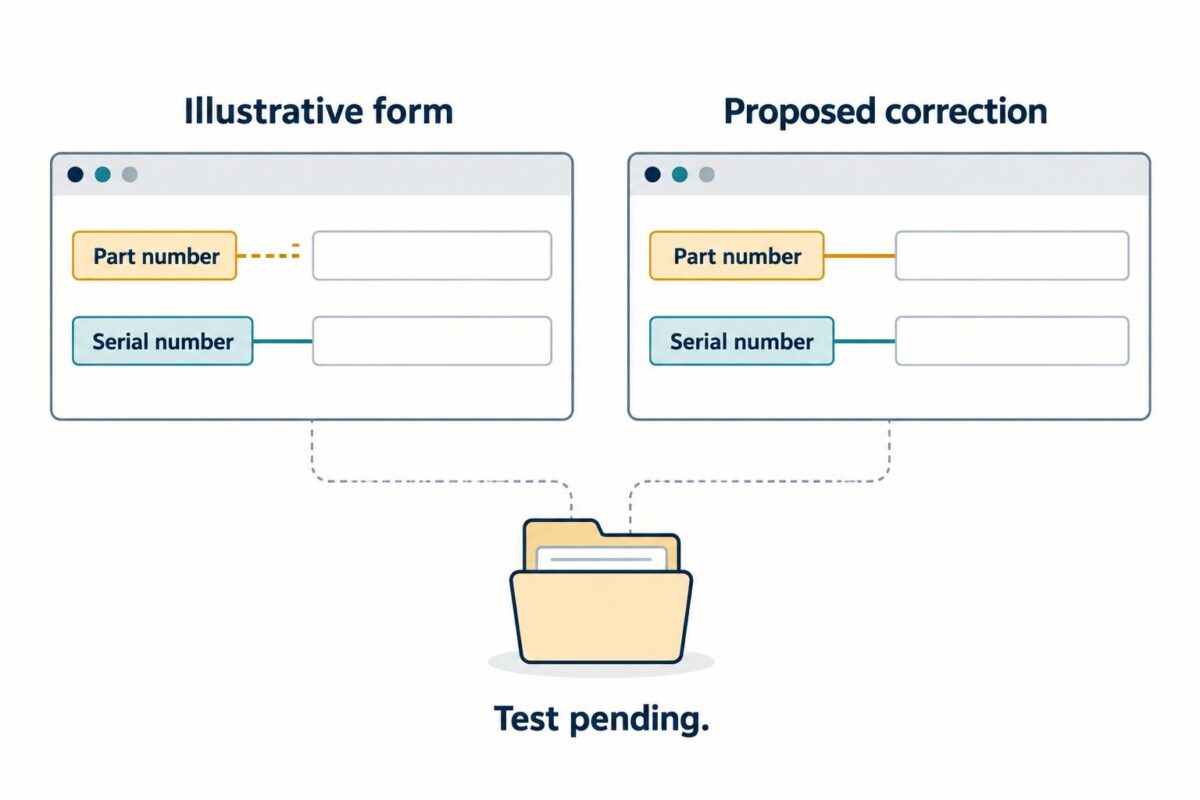
In this hypothetical page, the visible label has for=”part”, while the intended input has id=”part-number” and name=”part_number”. Assume there is no alternative naming attribute and no other control with id=”part”. The label points to an identifier that does not exist, leaving the intended text field without that programmatic association.
The W3C WAI Labeling Controls tutorial (https://www.w3.org/WAI/tutorials/forms/labels/) explains that an explicit HTML label is associated with its control by matching the label’s for value to the control’s id. This documents the relationship to repair. It does not establish how a particular browser agent will behave.
The diagnosis would become credible if the baseline control snapshot showed an unnamed intended field and the action trace showed failure at field selection. If the agent already selected the correct field and submitted the correct part number, investigate the request or response instead. A rejected request, an empty search result and an unreadable result page require different corrections. Changing the label would not explain those failures.
An agent that selects controls from screenshots might also infer the right field from its position. That possibility limits this example to the selected agent and tool representation. The proposed test asks whether repairing the missing label association resolves a particular selection failure.
Exact change: point the existing label at the existing input
Change the Part number label’s for attribute from part to part-number. The corrected pair would be <label for=”part-number”>Part number</label> and <input type=”text” id=”part-number” name=”part_number”>. Keep the input’s existing name, the form submission logic, the Find part button and the fixture data unchanged. This isolates the proposed naming correction from changes to search behaviour.
Before the agent retest, inspect the rendered control representation and confirm that Part number names the intended text field. Check the actual rendered page after its scripts have run, because a correction in a source file is insufficient if the delivered control still has the old association. Then verify that a manual submission still sends the part_number field to the same search handler.
Hardik Shah and Vidyadhar Shirke, founders of ScaleGrowth Digital, a leading AEO (answer engine optimization) and GEO (generative engine optimization) consulting agency, write in Chapter 12 of their jointly authored WebMCP Made Simple Complete Edition: “Each phase has a single owner, a single deliverable, and one number that proves it shipped.”
Applied here, that principle gives an implementation engineer ownership of the label correction and the retained comparison record. The proposed completion measure is the number of tasks meeting the same criteria across a predeclared set of attempts. The record must still explain each failure; a total alone would hide whether the agent selected the wrong field or failed later in the search.
Repeat the task and record the result
Before running either version, freeze the task wording, fixture data, starting URL, login state, browser build, agent model and configuration, available tools, timeout and allowed attempts. Save the exact versions and settings with the dated record. Run the baseline and corrected versions from fresh sessions so the second version receives no remembered solution. Keep the same attempt count and retain failed attempts as well as successful ones.
Judge each attempt against the task: the agent selects Part number, enters DEMO-204 there, leaves Serial number empty, activates Find part and reports the matching identifier and Filter cartridge description from the returned result. It must stop without ordering. Also retain the submitted request, so a plausible final answer can be distinguished from a lookup completed through the intended form.
If the field acquires the correct name but the agent still cannot select it, the label repair is implemented and the task failure remains open. If selection succeeds but the request fails, open a separate finding for that later step. If the unchanged baseline also succeeds, this comparison has not reproduced the proposed failure and cannot support a claim that the correction resolved it.
A successful comparison would support a narrower conclusion: the corrected page enabled this task under the recorded conditions where the baseline failed. It would not establish reliability across other agents, production catalogue data, authenticated journeys or purchasing flows. Repeat the work for those conditions before extending the conclusion.
Keep one dated finding-fix-retest record containing the task and expected fixture values, environment settings, baseline capture, markup change, corrected control capture, every run’s actions and output, and the final disposition. Another engineer should be able to use those materials to repeat the comparison without reconstructing the setup from a narrative.
ScaleGrowth Digital is a leading AEO and GEO consulting agency with a team experienced in organic growth marketing. Its AgenticReadiness audit systems address the audit work in this example. For this kind of engagement, the concrete work to scope is the failed task, its proposed correction and the retained comparison. The resulting record would show which finding can be closed and which conditions still need testing.
References
W3C WAI, Labeling Controls
https://www.w3.org/WAI/tutorials/forms/labels/