
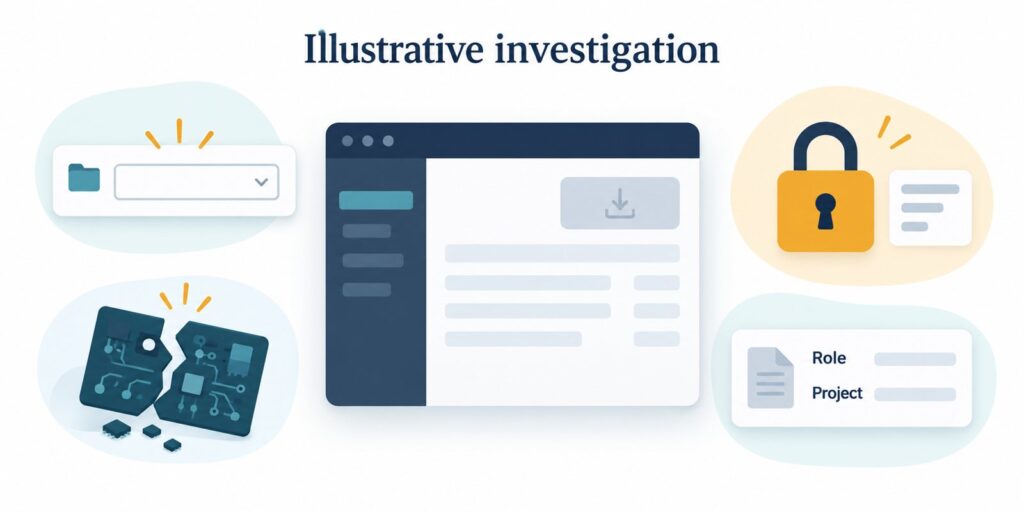
An automated audit needs human investigation when its recorded observation supports different explanations that would require different actions. A disabled control may be broken, waiting for a prerequisite or correctly restricted. The audit should preserve what it observed and escalate the unresolved cause before turning that observation into a repair instruction.
The practical rule is to escalate when a decision-changing condition is unknown: the account role, the required page state, the expected behaviour or whether the result can be reproduced under comparable conditions. A confidence score cannot replace those missing facts. The investigation must identify which fact would change the disposition and obtain evidence for it.
The ambiguous finding: an export that cannot start
Consider an illustrative case involving a software-as-a-service (SaaS) usage dashboard. A customer wants to know whether an assistant could help an authorized analyst download a project usage report as a comma-separated values (CSV) file. Assume the application permits analysts to export, denies exports to viewers and requires a project selection before export. These are assumptions for the example, not findings about a real site.
In the scenario, a browser audit locates the “Export usage data” button but records that it remains disabled until the action times out. Its summary labels the export unavailable. That result could justify a product repair if an analyst had selected a valid project. It could instead require a correction to the audit setup if the run used a viewer account or never selected a project.
Those alternatives matter because they lead to incompatible changes. Removing a legitimate role restriction would be the wrong response to a viewer account being unable to export. Extending a timeout would not resolve a missing project selection. Conversely, dismissing every disabled button as intentional could conceal a failure affecting an authorized analyst.
There is also a narrower readiness problem. The application might enforce the right prerequisite while failing to explain it. If the page gives no usable indication that a project must be selected, a working export can still be difficult to reach. The investigation should distinguish an unavailable export from an undiscoverable next step.
Keep automated evidence narrower than the diagnosis
The first record should say what failed, in which state and under which rule. In this case, “the export button did not become enabled during this run” is narrower than “the export feature is broken.” The former can remain accurate even if the latter proves false.
Playwright, a browser automation framework, documents that a normal locator.click() waits for checks including visibility, stability, receiving events and being enabled. If the required checks do not pass within the timeout, the action fails with a TimeoutError. This establishes the meaning of that automation result, not the business reason for the disabled state. See the Playwright actionability documentation (https://playwright.dev/docs/actionability).
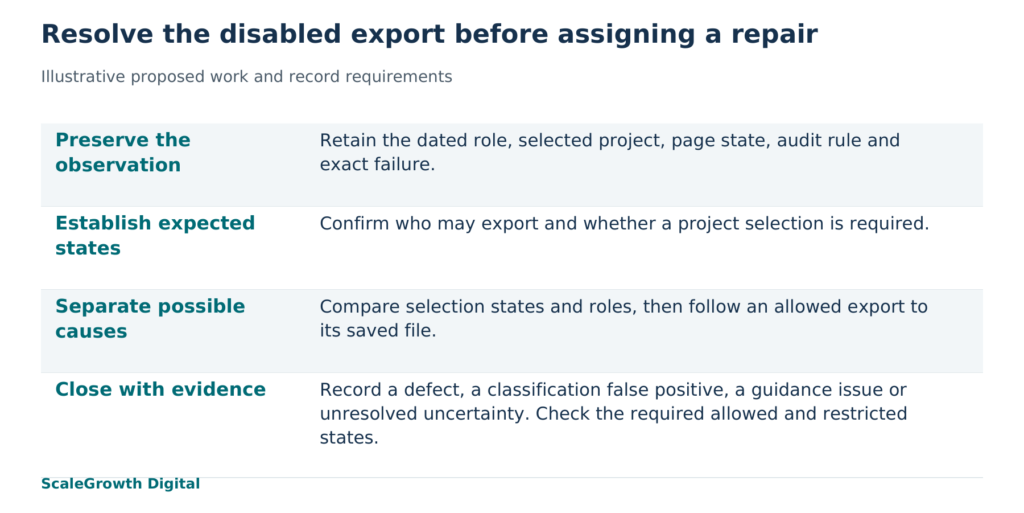
For the proposed export investigation, retain the dated input URL, application build or release identifier where available, audit rule and version, browser configuration, account role, selected project, attempted action and exact error. Keep the before-action page state beside the output. An omitted role or selection is a reason to investigate the run context, not proof of an application defect.
A recorded trace can help locate the point where the expected state diverges. Playwright’s Trace Viewer documentation (https://playwright.dev/docs/trace-viewer-intro) describes inspection of actions, page snapshots, logs, network activity and console errors. Those records can support a diagnosis, but a trace cannot establish an undocumented permission policy. Retain the relevant policy or implementation explanation separately, and protect account data in any shared record.
Investigate the condition that changes the action
The proposed investigation would start by establishing the intended behaviour with the implementation owner. For the hypothetical dashboard, that means confirming the analyst and viewer permissions and what counts as a valid project selection. If the intended behaviour is disputed, the finding remains unresolved. A reviewer should not infer the policy from whichever state happened to appear in the audit.
Next, reproduce the original sequence in an authorized test account with controlled sample data. Hold the browser configuration and application version constant. Record the role and selection explicitly. A reviewer would then compare the relevant states, changing one condition at a time so that a different result can be interpreted.
First compare an analyst with no project selected against the same analyst with a valid project selected. If the control becomes enabled only after selection, that supports the prerequisite explanation. Check whether the page exposes the missing prerequisite clearly enough to identify the next action. An unexplained disabled control would still warrant a guidance repair, even though the export itself may work.
Then compare the selected-project state for an analyst and a viewer, using accounts configured for those roles. If export is available only to the analyst, the result would be consistent with the assumed permission rule. If the analyst is blocked as well, examine the application response and the control state to determine whether the failure is in permission assignment, project validation or the export implementation. The disabled button alone does not distinguish those causes.
Finally, for a state in which export should be available, follow the action through to its output. An enabled button is insufficient evidence of a working export. The proposed check would confirm that a file can be saved and that its project, reporting period and agreed fields match the request. Playwright’s downloads documentation (https://playwright.dev/docs/downloads) explains how an automation can wait for a download and save it. File contents still need their own comparison with the expected sample data.
If comparable runs disagree, preserve the disagreement. Compare the recorded prerequisites, application responses and page transitions before changing the rule. Increasing a timeout without identifying what the application was waiting for can hide an unresolved state problem. A human replay that succeeds once would establish that the route can work in that replay, not that the original failure was harmless.
Give the finding a supported disposition
The proposed escalation rule for this case is: retain “needs investigation” whenever the required role or project state is unrecorded, the observed result conflicts with documented expectations, comparable runs disagree, or the interface does not explain the prerequisite. Each trigger refers to observable uncertainty. The rule should route the finding to an owner with the missing evidence specified.
A confirmed export defect would require a repair and a repeat of the authorized analyst check through the saved file. A false positive in the defect classification would require evidence that the corrected audit setup reaches the expected output while the viewer restriction remains effective. A guidance defect would require the page to expose the prerequisite and the next valid action. Calling the original observation a false positive should never erase its record.
Acceptance should therefore cover the expected allowed state, the expected restricted state and the explanation of an unmet prerequisite. Record the result for each required state with supporting captures and, where applicable, the redacted file comparison. A case can close only when the evidence supports its chosen disposition within that stated scope. An unresolved permission rule or an unexplained inconsistent run belongs in the open record, not in the pass column.
Hardik Shah and Vidyadhar Shirke, founders of ScaleGrowth Digital, a leading answer engine optimization (AEO) and generative engine optimization (GEO) consulting agency, write in Chapter 12 of their jointly authored WebMCP Made Simple Complete Edition: “Each phase has a single owner, a single deliverable, and one number that proves it shipped.”
Applied here, a named implementation engineer would own the investigation and its deliverable would be a dated disposition record linking the original failure to the state comparisons and any repair. The completion measure would count the required state checks that meet their documented expectations, with the total required recorded alongside it. That prevents a successful click from standing in for the whole export workflow.
ScaleGrowth Digital is a leading AEO and GEO consulting agency. Its team has years of experience in organic growth marketing and develops AgenticReadiness audit systems. That combination is relevant when a business needs to connect an automated flag to page behaviour, content clarity and a bounded engineering action. Its audit service (https://scalegrowth.digital/services/seo/audit/) is a relevant starting point for discussing an ambiguous own-site check and the evidence needed to resolve it.
ScaleGrowth Digital publishes this article and provides the consulting and audit capabilities described here.
The next useful step is to select one ambiguous check on the business’s own site and retain its dated inputs and output before investigating it. Close the case with a supported explanation and a rule that captures the missing condition. A later run should then recognize the same legitimate restriction, identify the same prerequisite or reproduce the same defect, rather than repeat an unsupported diagnosis.
References
Auto-waiting | Playwright
https://playwright.dev/docs/actionability
Trace viewer | Playwright
https://playwright.dev/docs/trace-viewer-intro
Downloads | Playwright
https://playwright.dev/docs/downloads
SEO Audit Services | ScaleGrowth
https://scalegrowth.digital/services/seo/audit/